Google Ads, GA4 and Your CRM Show Different Lead Numbers: What to Tell the Client
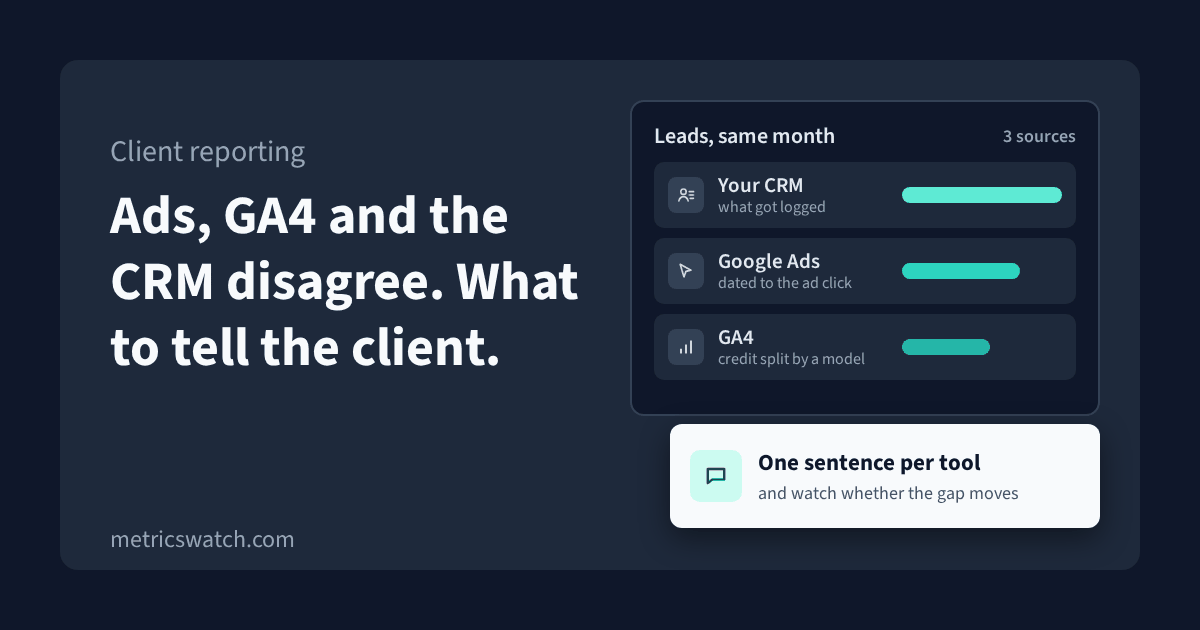
Google Ads says 62 leads last month. GA4 says 48. The client's CRM has 71 new contacts, and their sales team says about 30 of those were real.
Then the client asks which number is right. It's a fair question, and "it's complicated" isn't an answer they can take to their boss.
Some version of this came up in twelve threads in one week this November across r/PPC, r/GoogleAnalytics and r/SEO. All three numbers can be right at the same time, because each tool counts a different thing on a different date. What the client needs is one sentence per tool, one number that counts for money, and a rule for when the gap means something broke.
The lead numbers above are an illustration, not anyone's real data. Wherever I describe how a Google tool behaves, I've linked to Google's own documentation, and I checked every one of those pages on 10 November 2026. If you sell online and your gap is between store orders, GA4 and Google Ads, I wrote that one up separately: why GA4, your store and Google Ads show different order counts. This one is about leads, the CRM, and what you say to the client.
Why three tools give three numbers
Google Ads dates a lead to the ad click
Google Ads reports a conversion on the date of the ad, while other reporting tools put it on the date the conversion happened. Google calls this conversion delay (Google Ads Help, data discrepancies). Someone who clicks on the 28th and fills in the form on the 3rd is a lead for last month in Google Ads and a lead for this month everywhere else. Google's "All conv. (by conv. time)" column reports conversions by when they happened, and Google suggests it when you're comparing Google Ads with your own systems (Google Ads Help, understand your conversion tracking data).
The same thing makes last month's Google Ads number keep growing after you've reported it. A lead that arrives inside the conversion window gets added to the day of the click (Google Ads Help, conversion windows).
Two more things move the Google Ads count:
- Counting. Each conversion action counts either every conversion after a click or only one. Google says "One" is a good choice for leads, because usually only one unique lead per ad click adds value (Google Ads Help, conversion counting options). If a lead form action is set to "Every", one person who submits twice is two leads.
- Only its own clicks. Google Ads only reports conversions when there was a Google Ads interaction, like a click, from the same Google Ads account (Google Ads Help, data discrepancies). Organic, email and referral leads aren't in it at all.
GA4 splits credit with a model, and the model can rewrite history
GA4 counts the event you told it to count, usually a form submit. Google's recommended event for that is generate_lead, for when a user "submits a form or a request for information" (Google Analytics Help, recommended events). It counts submits, so spam and repeat submits are in there too.
Which channel gets the lead depends on the reporting attribution model in the property's attribution settings. Google says changing that model applies to historical and future data (Google Analytics Help, attribution settings). So if someone changes the model, the channel split in a report you sent last quarter won't match what GA4 shows for the same dates today.
GA4 also misses people. With a consent banner that blocks Google tags until the visitor accepts, which Google calls the basic implementation, you get no data for visitors who decline and no modeled data to fill the gap (Google Analytics Help, consent mode). And it isn't final straight away: Google says processing can take 24 to 48 hours and the numbers may change during that time (Google Analytics Help, data freshness).
The CRM counts what got logged
The CRM doesn't watch the website. It counts records: contacts from form integrations, imports, people a salesperson typed in after a phone call, and duplicates that may or may not have been merged. It's also the only one of the three that knows whether a lead turned into a deal.
Its source field is only as good as what was written into it. Before you compare it with anything, I'd find out what yours actually holds: a hidden UTM field from the form, the first source the contact ever came from, the latest one, or whatever a salesperson picked from a dropdown. Those give very different channel splits for the same leads.
If you want the theory behind the models themselves, there's a longer piece on types of attribution models and one on multi-channel attribution. You don't need either to fix the conversation with the client.
Ready to streamline your reporting?
MetricsWatch pulls twelve sources into one white-label report, delivered on your schedule: Google Analytics, Google Ads, Google Search Console, Google Business Profile, Google Sheets, Microsoft Advertising, Facebook Ads, Facebook Pages, Instagram, LinkedIn Ads, LinkedIn Pages, and Mailchimp. Starts at $49/month. 14-day free trial, no credit card required.
Pick one source of truth for money, and put it in writing
For a lead-gen client, the CRM is usually the source of truth for leads that count and for revenue. Google Ads is what bidding sees. GA4 is how the website behaves and roughly which channels brought people in.
I'd agree that with the client at the start, in the reporting doc or the statement of work, before there's a bad month to argue about. Write down what "a lead" means too: a form submit, a qualified lead, or a deal. Most arguments about the numbers are really about that definition.
If you want Google Ads to optimize toward the leads the CRM says are real, Google lets you import offline conversions from your CRM, matched on the click ID or on hashed customer data with enhanced conversions for leads (Google Ads Help, offline conversion imports). Two limits to know: Google only keeps the click ID for 90 days, and a conversion older than your conversion window gets rejected (Google Ads Help, offline conversion import errors). A long sales cycle needs an earlier stage, like a qualified lead, imported instead of the closed deal.
A steady gap is normal. A moving gap is the signal.
Putting the three totals side by side for one month tells you very little. I'd track two ratios over time instead:
- GA4 form submits divided by new CRM contacts from web forms. Both are dated to when the form was sent, so it's a fair pair.
- Google Ads conversions divided by GA4 leads from google / cpc, using the "by conv. time" column so both sides use the same date.
Eight to twelve weeks is enough to see where each ratio normally sits and how much it wobbles. There's no right number. A client with a strict consent banner will sit lower than one without, and that's fine as long as it holds still.
What you're looking for is a step: a ratio that drops or jumps in one week and stays there. That almost always means something changed on the client's side. A slow drift over months is more often audience, browser or consent behavior.
What I'd check first when the gap moves
- The form. A new form plugin, a form moved into an embed from another service, or a thank-you page that was removed or redirected. If your lead event fires on the thank-you page, any of those can stop it. GA4 drops and the CRM doesn't.
- The tags. A Tag Manager publish, or a second tag sending the same lead event. A ratio that goes above 1 usually means GA4 is counting a submit twice.
- The Google Ads conversion action. Counting switched from "One" to "Every", a different action set as primary, or the window changed. A window change only applies to conversions from that day forward (Google Ads Help, conversion windows), so it shows up as a step, not a rewrite.
- The consent banner. A new banner, a new default of "deny", or a switch to blocking tags until consent. GA4 drops and the CRM doesn't.
- GA4 attribution settings. If the model changed, every channel number changes, including old ones. Check the settings before you explain a shift in last quarter's channel mix.
- The CRM side. A list import, a merge of duplicates, or a form integration that stopped sending to the CRM. That last one makes the GA4 to CRM ratio jump up, because GA4 still sees the submits.
One sentence per tool for the client report
This is the wording I'd put at the top of the first report and keep in every one after it. Swap in your client's own definitions.
- CRM: "Your CRM is the source of truth for leads and revenue. It counts every contact who reached your sales team, from every channel."
- Google Ads: "Google Ads counts leads it can tie to a click on one of our ads, dated to the day of the click, so the most recent weeks keep filling in."
- GA4: "GA4 counts form submits on the website and splits the credit between channels. It misses visitors who decline cookies, so it reads lower than the CRM."
- The gap: "For the last three months GA4 has recorded between X% and Y% of the leads in your CRM. We watch that range, and if it moves outside it we check tracking before we report."
The last sentence does the most work. It tells the client the gap is known and measured, and that a change in it gets looked at instead of explained away.
Checklist
- The source of truth for leads and revenue is agreed with the client and written down.
- "A lead" is defined: form submit, qualified lead or deal.
- You know what the CRM's source field holds: a UTM field, first source, latest source or a dropdown.
- The Google Ads lead conversion action counts "One", unless you have a reason for "Every".
- When you put Google Ads next to GA4 or the CRM, you use the "by conv. time" column and say so in the report.
- Only one tag sends the lead event.
- You know whether consent mode is basic or advanced.
- The GA4 attribution settings and the Google Ads conversion window are written down, with the date they last changed.
- You track the GA4 to CRM and Google Ads to GA4 ratios and note every form, tag, consent or CRM change against them.
- Offline conversion imports, if you use them, send a stage that happens inside 90 days of the click.
Finding out the day the gap moves
A weekly ratio tells you something broke. It doesn't tell you on the day. If a form stops sending its lead event on a Tuesday, you find out the next week, and Google Ads has been bidding without those leads in between.
That's what MetricsWatch Alerts is for. It monitors a GA4 metric, like the count of your generate_lead event or your key events, and alerts you when it crosses a threshold you set. It checks every 15 minutes on Basic ($79/month, email alerts), every 10 minutes on Starter ($99/month, email and Slack alerts) and every 5 minutes on Professional ($299/month). You can filter an alert to a source and medium like google / cpc, so paid leads get their own alert.
To be clear about what it doesn't do: it watches the GA4 side only. It doesn't read your client's CRM or Google Ads, so the ratios above are still yours to keep.
The trial doesn't need a credit card. If you want to try it, put one alert on your lead event at metricswatch.com/get-started.