Search Console Traffic Dropped? How to Diagnose It
You open Search Console and the clicks line has fallen off a cliff. Or impressions halved over a week. Or, stranger, clicks jumped tenfold while impressions didn't move at all.
This came up in nine separate threads across the SEO, PPC and Google Ads subreddits in a single week, and most of them started from the same place: an update must have hit us. Sometimes that's true. But a lot of drops turn out to be a reporting change, one search type, one folder of pages, or something that shipped on the site the same week.
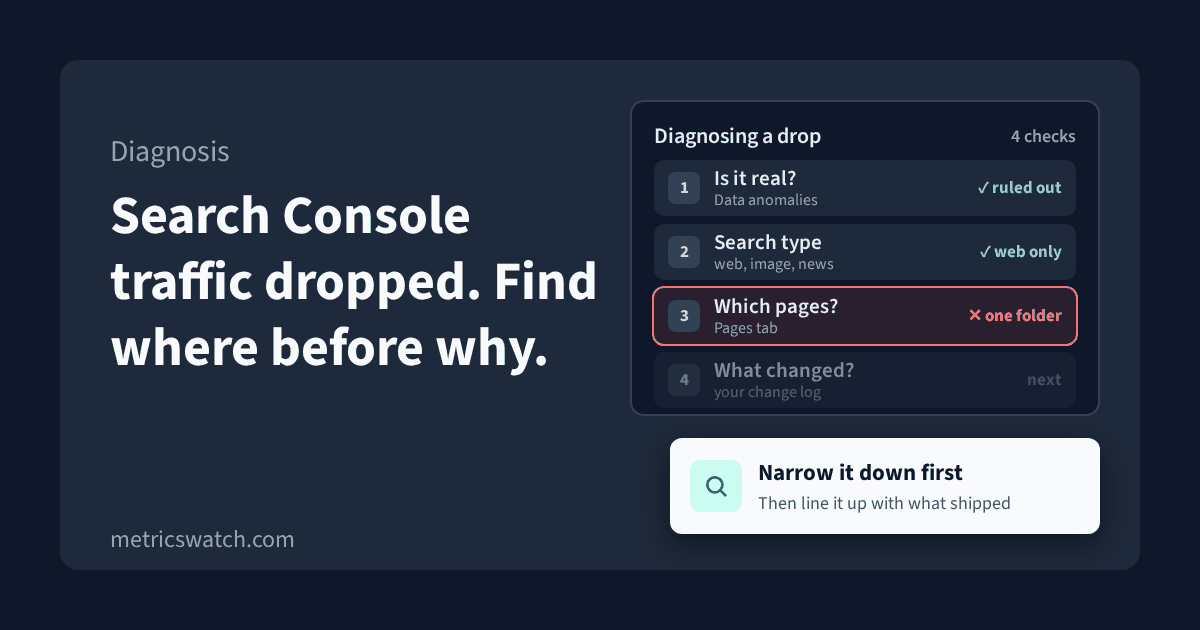
So this guide goes in the order I'd check things: first whether the drop is real, then where it is, then when it started, and only then why. Wherever I describe how a Google tool behaves, I've linked to Google's own documentation. I checked every one of those pages on 10 November 2026.
Step 1: make sure the drop is real
Before you change anything on the site, rule out the boring explanations. Google's own guide to debugging drops in Google Search traffic lists "reporting glitch" as one of the shapes a drop can take, and tells you to check the Data Anomalies page first.
Check Google's data anomalies page
Search Console keeps a list of known data issues from the last 3 to 16 months: logging errors, aggregation changes, features that went away. It's worth reading the whole list, not just this month. Two entries from this year are good examples of how a "drop" can be a reporting change:
- In April 2026 Google noted that a logging error had been affecting impression counts since May 2025, and that you may see a decrease in impressions now that it's fixed. Clicks weren't affected.
- From 7 May 2026, FAQ rich results stopped appearing in Google Search, so impressions for FAQ results dropped with them.
If your drop lines up with an entry there, you may not have a traffic problem at all.
Check you're looking at the right property
A URL-prefix property only includes URLs that start with exactly that prefix, protocol included, so https://example.com/ doesn't include https://www.example.com/. A Domain property covers every subdomain and protocol (Search Console Help, add a property). If the site moved from www to non-www, or from http to https, the traffic may have moved to a property you're not looking at.
Give the data time, and compare it with Analytics
Search Console data usually shows up in 2 to 3 days, and its daily numbers are labelled in Pacific Time (Search Console Help, troubleshooting data discrepancies). The newest points on the chart can still be preliminary, shown as a dotted line (Search Console Help, Performance report). A dip in the last day or two is often just data that hasn't landed yet.
Then check whether Google Analytics agrees. In GA4, Organic Search is the channel for visits from non-ad links in organic search results, including AI Overviews and AI Mode (Analytics Help, default channel group). If Organic Search sessions from Google held steady while Search Console clicks fell, look harder at the reporting side before you look at the site.
Don't expect the two to match exactly. Google says Search Console can differ from Analytics because of privacy filtering, processing, time lag, time zones, and because Analytics only counts visitors with JavaScript enabled (same troubleshooting page). What you're comparing is the shape of the line, not the totals.
Step 2: split it by search type before you call it site-wide
The Performance report's search type filter separates web, image, video and news traffic (Performance report), and Google's traffic drop guide recommends checking each one separately. A site can lose most of its image traffic while web search is fine, and on the default view that just looks like "traffic dropped".
Discover isn't in that filter. It has its own Performance report, which only shows up once your property reaches a minimum number of Discover impressions. If you get Discover traffic, check it on its own. The anomalies page above has several Discover-only logging errors this year (May, June and August 2026).
Ready to streamline your reporting?
MetricsWatch pulls twelve sources into one white-label report, delivered on your schedule: Google Analytics, Google Ads, Google Search Console, Google Business Profile, Google Sheets, Microsoft Advertising, Facebook Ads, Facebook Pages, Instagram, LinkedIn Ads, LinkedIn Pages, and Mailchimp. Starts at $49/month. 14-day free trial, no credit card required.
Step 3: find which pages lost the traffic
Use the compare option in the date filter to put the drop period next to the one before it, or the same period last year, then open the Pages tab and sort by clicks difference. Google suggests exactly this in its traffic drop guide, to tell whether the drop hit the whole site, a group of pages, or one important page. While you're there, set the date range to 16 months, so you can see whether the same dip happened this time last year.
Then group what you find by template or folder: all the product pages, all of /blog/, all the location pages. Losses that cluster in one template usually point to something that changed in that template.
Google's guide splits the next move by what you found:
- Site-wide: check the Page indexing report, and the Crawl Stats report for availability problems Google ran into when crawling.
- One group of pages: run a few of them through the URL Inspection tool.
One thing to know about URL Inspection: the default result is Google's indexed version of the page, not the live one. To see the page as Google would see it today, run a live test. It's also where you'll find the Google-selected canonical, which matters because Search Console credits clicks and impressions to the canonical URL (Search Console Help, impressions, position and clicks). If Google started picking a different canonical, the traffic can look like it vanished from one URL when it moved to another.
If one section dropped out of the index entirely, also open the Manual actions report. If a site has a manual action, some or all of it won't be shown in Google search results.
Step 4: read the shape of the clicks and impressions lines
Google's traffic drop guide reads the two lines together:
- Both fell: start with the main causes in the guide: technical issues, security, spam, algorithm updates, seasonality.
- Impressions flat, clicks fell: Google points at the title and snippet, or another site with a more appealing rich result. A small slip in position, like 2 to 4, can also cut clicks without much change in impressions.
The odd one is the other way round: clicks way up, impressions flat, and click-through rates near 100% on some rows. Google counts a click when someone follows a result to a page outside Google Search, Discover or News, and a repeat click on the same result counts once (impressions, position and clicks). I couldn't find Google documenting how Search Console treats automated clicks, so I wouldn't assume either way.
What I'd do is check the same pages and dates in GA4. GA4 automatically leaves out traffic from known bots and spiders (Analytics Help, known bot-traffic exclusion). If Search Console clicks jumped and GA4 Organic Search sessions didn't, treat the jump as something to understand, not a win to report to a client.
Also, when you filter the query table, the totals stop adding up. Queries that only a small number of people search are anonymized, left out of the query table, and dropped from totals whenever a query filter is applied (Google Search Central blog, performance data deep dive). The table also shows 1,000 rows at most. So a query-level "drop" can be a filtering effect.
Step 5: line the start date up against your own change log
Once you know which pages dropped and the day it started, put that date next to everything that shipped on the site: theme or plugin updates, a redesign, URL changes, robots.txt edits, CMS or hosting moves, a new consent banner. Google's guide notes that a misplaced noindex tends to cause a slower drop, because it only takes effect as Google recrawls the pages, and that after a site move with URL changes a medium-sized site can take a few weeks for Google to notice the change.
Only after that would I go to Google's list of ranking updates, which shows each update's start date and how long it took to roll out. Even if the dates match, Google says there might not be anything fundamentally wrong with your content, and for a small drop in position it recommends avoiding radical changes if the page is already performing well. A large drop across many terms is when Google suggests a self-assessment of the whole site.
For seasonality, the same guide suggests filtering to one of your top queries at a time and checking it in Google Trends, to see whether interest dropped for everyone or just for you.
The checklist
- Check the data anomalies page for anything that lines up with your dates.
- Confirm you're on the property that covers the site's current protocol and subdomain, or use a Domain property.
- Ignore the last 2 to 3 days and any dotted, preliminary points.
- Compare the shape with GA4 Organic Search sessions for the same dates.
- Split by search type (web, image, video, news), and check Discover in its own report.
- Compare against the previous period and last year, then sort pages by clicks difference.
- Group the losing pages by template or folder.
- Site-wide: Page indexing and Crawl Stats. A group of pages: URL Inspection on a few, with a live test, and check the Google-selected canonical.
- Check the Manual actions report.
- If clicks rose with flat impressions, check GA4 before you trust it.
- Put the start date against your own change log, then against Google's list of ranking updates.
If the drop turns out to be on the GA4 side and not in Search, our guide to monitoring website traffic covers that side.
Hearing about it sooner
The slow part of all this is usually noticing. Search Console data usually takes 2 to 3 days to show up, and plenty of drops are first spotted by whoever opens the monthly client report.
MetricsWatch Alerts doesn't read Search Console. It monitors GA4: traffic, conversions, events and custom metrics, and you can filter an alert by source, medium, landing page or any other GA4 dimension. So you can put an alert on organic traffic from Google, or on one landing page, and get an email or Slack alert when it moves past a threshold you set. It checks every 15 minutes on Basic ($79/month, email alerts), every 10 minutes on Starter ($99/month, email and Slack alerts) and every 5 minutes on Professional ($299/month).
It tells you the traffic moved. The steps above are still how you find out why.
The trial doesn't need a credit card. If you want to try it, put an alert on your organic sessions at metricswatch.com/get-started.