Why GA4, Your Store and Google Ads Show Different Order Counts
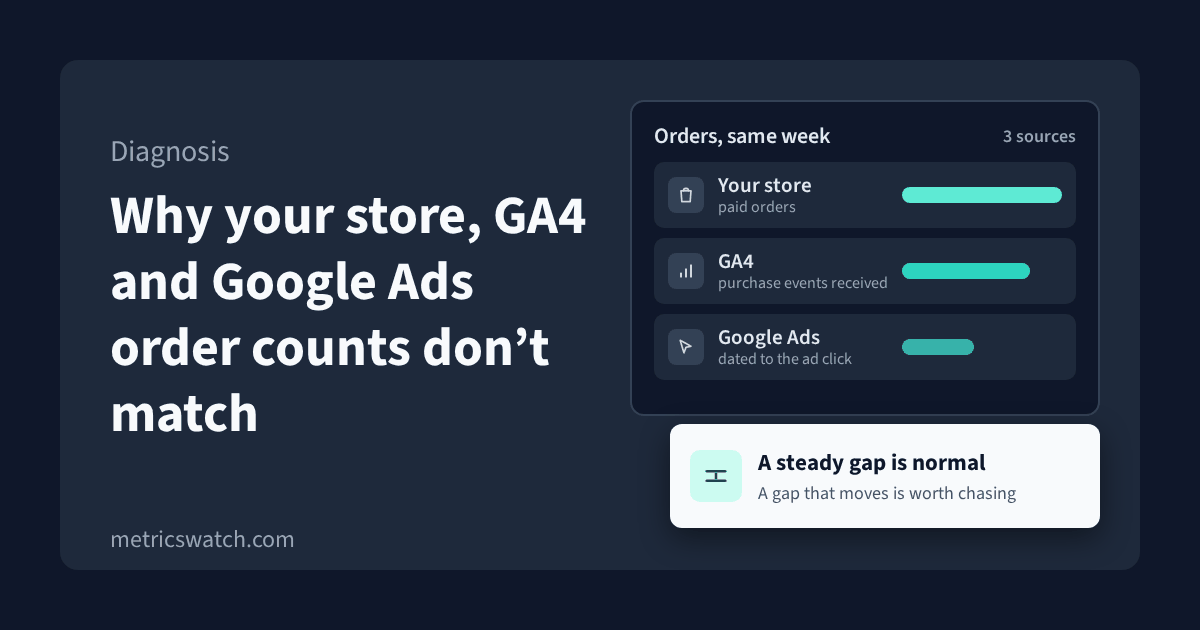
Your store says 214 orders last week. GA4 says 181 purchases. Google Ads says 96 conversions, and by next Tuesday that 96 will have turned into 104.
Some version of this came up in eleven threads in a single week this month across r/PPC, r/GoogleAds and r/GoogleAnalytics, and the honest answer usually isn't that something's broken. Each system counts a different thing, on a different date, under different rules. A gap between them is normal.
What matters is whether the gap is steady. A steady gap is just the cost of measuring through a browser. A gap that moves is usually a tag, a checkout change or a consent banner, and I'd want to find that before you report the week to a client or let smart bidding learn from it.
The order numbers above are an illustration, not anyone's real data. Wherever I describe how a Google tool behaves, I've linked to Google's own documentation, and I checked every one of those pages on 8 November 2026.
What each system actually counts
Your store counts paid orders
Your ecommerce platform records an order when it's created and paid, wherever it came from. That can include orders that never went through the website checkout, like manual, phone or point-of-sale orders, if your platform keeps them in the same list. It doesn't depend on cookies, consent or a script loading. For revenue, the store is the system of record.
GA4 counts purchase events that reached Google
GA4 only sees a purchase when a purchase event fires in the buyer's browser (or gets sent server-side) and actually arrives. A few ordinary things stop that from happening:
- Consent. With consent mode, when a visitor denies analytics consent, Google's tags don't read or write analytics cookies. In the advanced setup they send cookieless pings that GA4 uses for modeling. In the basic setup the tags don't load at all until consent is given (Google Analytics Help, consent mode).
- Modeling has a threshold. GA4 only fills the consent gap with behavioral modeling when the property sends at least 1,000 events a day with analytics storage denied for at least 7 days, plus enough consented traffic, and Google says meeting both doesn't guarantee eligibility (Google Analytics Help, behavioral modeling). A small store usually gets no modeling, so denied consent just means missing purchases.
- Blocked scripts. Google's own troubleshooting guide says some browser extensions can block Google Analytics scripts from running (Google Analytics developer docs, troubleshooting).
- The thank-you page never loads. If the purchase event fires on the order confirmation page, and the buyer pays on an external payment page and never comes back, there's no event to send.
- Duplicates. The opposite problem happens too. GA4 deduplicates purchase events with the same transaction ID, and Google says you need a transaction ID on every ecommerce event to deduplicate transactions from the same user. An empty transaction ID is treated as one value, so every purchase sent with a blank ID gets collapsed together (Google Analytics Help, duplicate key events and transaction IDs). If GA4 ever shows more purchases than the store has orders, I'd look for two tags sending purchase without a shared order ID first.
GA4 also takes time. Google says processing can take 24 to 48 hours and reports may change during that time (Google Analytics Help, data freshness). Yesterday's number isn't final yet.
Google Ads counts conversions it can tie to an ad, on the click date
This is the one that trips up most store owners. In the standard conversion columns, Google Ads counts a conversion on the date of the click, not the date of the purchase. Someone who clicks an ad on Monday and buys on Friday is a Monday conversion. Google offers "by conversion time" columns for exactly this reason, and says they help when you're comparing Google Ads with Google Analytics or Shopify (Google Ads Help, understand your conversion tracking data).
That's also why last week's Google Ads number keeps going up. The default click-through conversion window is 30 days, and it can be set from 1 day up to 30, 60 or 90 depending on the conversion source (Google Ads Help, conversion windows). A purchase that comes in two weeks later gets added to the day of the click, so recent days look low and fill in over time.
Google Ads only counts conversions it can connect to its own ads. It has its own consent modeling too, which needs about 700 ad clicks over 7 days per country and domain grouping (Google Ads Help, conversion modeling).
GA4 and Google Ads credit different channels
Even if you import GA4 key events into Google Ads, the two won't agree. Google Ads only reports conversions when there was a Google Ads interaction, like a click (Google Ads Help, data discrepancies). GA4 can credit organic search, email and every other channel too. For event-scoped reports it uses data-driven attribution by default (Google Analytics Help, scopes of traffic-source dimensions), and its attribution settings decide whether paid and organic channels can get credit, or only Google's paid channels (Google Analytics Help, attribution settings).
One more trap from that same page: changing the reporting attribution model applies to historical and future data, but changing the lookback window only applies going forward. If someone changed a setting mid-quarter, last quarter's numbers can shift under you.
If your CRM disagrees with both, it's usually running its own rule, often crediting whichever touch came last before the deal closed. None of the three is wrong. They're answering different questions. We cover the models themselves in types of attribution models.
Ready to streamline your reporting?
MetricsWatch pulls twelve sources into one white-label report, delivered on your schedule: Google Analytics, Google Ads, Google Search Console, Google Business Profile, Google Sheets, Microsoft Advertising, Facebook Ads, Facebook Pages, Instagram, LinkedIn Ads, LinkedIn Pages, and Mailchimp. Starts at $49/month. 14-day free trial, no credit card required.
A normal gap or a broken tag?
Putting the three totals side by side on one day tells you almost nothing. I'd track one ratio over time instead.
- Pick the pair that should move together: store orders and GA4 purchases. Both are dated to when the order happened, so it's a fair comparison. Leave Google Ads out of this one, or use its "by conversion time" columns.
- Work it out weekly: GA4 purchases divided by store orders, website orders only if your store can filter them. Use complete weeks that ended at least two days ago, so GA4 has finished processing.
- Find your baseline. Eight to twelve weeks is enough to see where your ratio normally sits and how much it wobbles. There's no universal right number. A store with a strict consent banner and an audience full of ad blockers will sit lower than one without, and that's fine as long as it's stable.
- Watch for a step, not a slope. A ratio that drops in one week and stays down means something changed on your side. A slow drift over months is more often audience, browser or consent behavior.
When the ratio steps, line the week up against what changed:
- Ratio drops to near zero: the purchase tag stopped firing. A theme update, a new checkout or a Tag Manager publish are the usual causes.
- Ratio drops partway: a new payment method that sends buyers to an external page, a checkout app that replaced the confirmation page, or a new consent banner, or one set to deny by default.
- Ratio goes above 1: purchases are being double counted. Look for two tags (a platform app and a manual tag, or GA4 in the theme and in Tag Manager) and check they both send the same transaction ID.
- GA4 is steady but Google Ads conversions fall: before you blame the campaign, look at the conversion action itself, its window, and whether it's the primary action. Google's data discrepancies page above lists attribution model changes among the things that move conversion data.
If you import offline conversions or CRM deals into Google Ads and rows go missing, Google lists the common causes. It only keeps the click ID for 90 days, a conversion older than the conversion window gets rejected, a click less than 6 hours old has to be retried later, a click from before any conversion action existed in the account can't be matched, and a conversion can't happen before the click (Google Ads Help, offline conversion import errors).
Checklist before you report the numbers
- Every purchase event sends a non-empty transaction ID that matches the store's order number.
- Only one tag sends purchase, or all of them share the transaction ID.
- Your payment processors are listed as unwanted referrals in GA4 (Admin, Data streams, your web stream, Configure tag settings, List unwanted referrals), so returning buyers aren't credited to the payment page (Google Analytics Help, unwanted referrals).
- You know whether consent mode is basic or advanced, and whether the property is eligible for modeling.
- You compare complete weeks that ended at least two days ago.
- When you put Google Ads next to the store, you use the "by conversion time" columns, and you say so in the report.
- You track the weekly GA4-to-store ratio and note every checkout, theme, payment or consent change against it.
- The attribution settings in GA4 and the conversion window in Google Ads are written down, with the date they last changed.
If a client asks, the short version is one sentence: "The store is the source of truth for orders and revenue. GA4 and Google Ads tell us which channels and campaigns brought them, and they'll always read a little lower."
Finding out the week it happens
The weekly ratio tells you something broke. It doesn't tell you on the day. If a purchase tag dies on a Tuesday, a weekly check finds it the following week, and Google Ads has been bidding on missing conversions in between.
That gap is what MetricsWatch Alerts is for. It monitors a GA4 metric, like the count of your purchase event or your key events, and sends an alert when it crosses a threshold you set. It checks every 15 minutes on Basic ($79/month, email alerts), every 10 minutes on Starter ($99/month, email and Slack alerts) and every 5 minutes on Professional ($299/month). You can filter an alert to a source and medium like google / cpc, so paid purchases get their own alert.
To be clear about what it doesn't do: it watches the GA4 side only. It doesn't read your store's order count, so the weekly ratio above is still yours to keep.
The trial doesn't need a credit card. If you want to try it, put one alert on your purchase event at metricswatch.com/get-started.