Your Ultimate Guide to Local SEO Reports That Actually Wow Clients

Let's be real. Making local SEO reports can be a total snooze-fest. And there's nothing worse than watching a client's eyes glaze over as you try to explain why "keyword impressions" are supposedly a big deal.
If your reports are just a jumble of charts and rankings, you're missing the point. A report isn't a spreadsheet; it's a story. And right now, your story might be the world's most effective sleep aid.
Here's a fun fact to wake you up: a whopping 46% of all Google searches have local intent, according to research from HubSpot. That means every single day, millions of potential customers are looking for businesses exactly like your clients'. Your report is the perfect place to show them how you're connecting the dots.
Highlights: The TL;DR Version
Pressed for time? I get it. Here's the super-quick rundown of how to create local SEO reports that clients actually love.
- Focus on What Matters: Ditch the vanity metrics. Your client cares about Google Business Profile actions—phone calls, direction requests, and website clicks. These are the numbers that directly translate to money in their pocket.
- Pick the Right Tool for the Job: We'll compare the top reporting tools and tell you who they're really for. Whether you're a big agency needing fancy white-label options or a freelancer on a budget, there's a perfect fit.
- Automate Everything: The goal is to set it and forget it. We'll show you how to build reports that run on autopilot, saving you a ton of time while delivering pro-level results every month.
From Data Dump to "You're Hired!"
We need to totally change how we think about reporting. It's not just a chore to check off a list. When done right, it's your best client retention tool. A killer report doesn't just show data—it weaves a story that connects your hard work to what a business owner actually cares about:
- More phone calls.
- More people asking for driving directions.
- A calendar that's actually full.
Making your reports hit different means focusing on metrics that show real-world impact. Understanding the true ROI of SEO helps you speak a language clients not only get but get excited about.
The goal is to change the conversation from "Here are your rankings" to "Here's how we drove 15 new leads to your door this month." One is data; the other is pure, undeniable value.
This guide will show you how to build reports that don't just get opened—they get you praised. Let's turn this monthly headache into a strategic asset that proves your worth and wins you more business.
Your Local SEO Reporting Highlights Reel
Don't have time to go through every last detail? No problem. Here's the lightning-fast summary of everything you need to build killer local SEO reports that clients actually love to read.
Think of this as your official cheat sheet.
Key Takeaways in a Nutshell
This guide is all about turning your reports from a simple data dump into a compelling story of success. We're moving beyond endless spreadsheets to focus on what truly matters to a local business owner.
-
Metrics That Actually Matter: The most important data points are your client’s Google Business Profile actions—we're talking calls, direction requests, and website clicks. Local pack rankings and the speed at which they get new customer reviews are also huge. With that 46% of Google searches having local intent, these metrics are a direct line to real-world business growth.
-
The Right Tools for the Job: We’ll walk through the top reporting tools out there and break down who they’re best for. Whether you’re an agency that needs white-labeling or a small business watching your budget, you'll find the right fit for your situation.
-
Automation Is Your Best Friend: The end goal is to get this whole process running on its own. We’ll show you exactly how to set up reports that run automatically, saving you hours of tedious work while delivering consistent, professional results every single time.
For a deeper look into monitoring your performance, learn more about tracking local keyword rankings by proximity in our detailed guide.
Focusing on Metrics That Actually Matter
Are you drowning in data? It's easy to get lost in a sea of charts that look impressive but mean absolutely nothing to the person signing your checks. Let's cut through the noise. It’s time to focus on the local SEO metrics that make the phone ring.
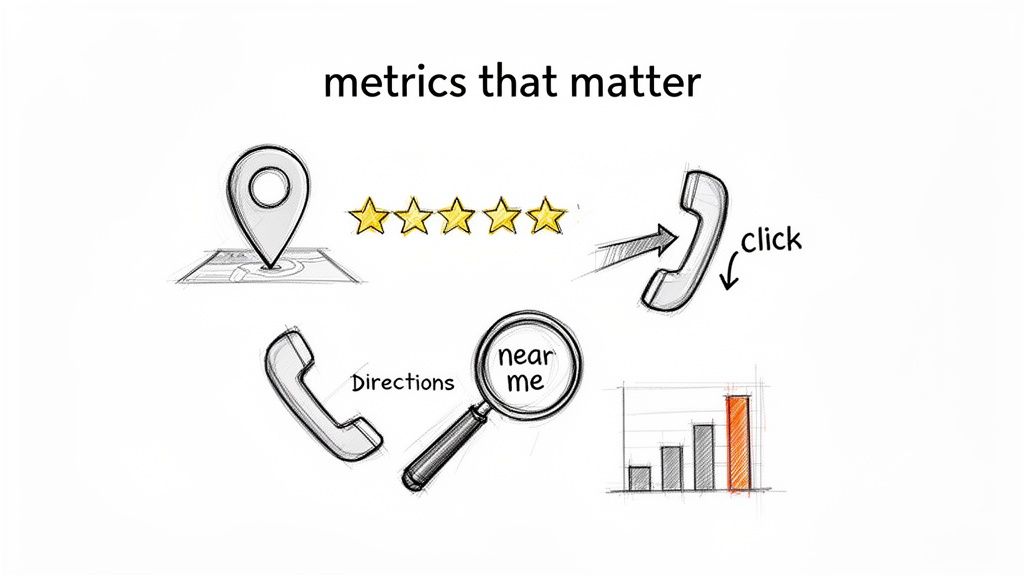
Think about it: your client doesn't care about "impressions." They care about customers. Your job is to connect your SEO work to their success, and that starts by tracking the right stuff.
Google Business Profile: The MVP of Local SEO
Your Google Business Profile (GBP) isn't just another listing; it's the digital front door for any local business. The data it provides is pure gold because it measures what people do right before they decide to spend money.
These are the must-have metrics for every local SEO report:
-
GBP Actions: This is the big one. It's a direct measure of high-value customer interactions. This includes things like phone calls (a direct lead!), website clicks, and direction requests. Someone asking for directions is about as hot a lead as you can get.
-
GBP Searches: This tells you how people found the listing. Did they search for the business name (Direct), or did they search for a category like "plumber near me" (Discovery)? A high number of discovery searches is proof your SEO is attracting brand-new customers.
Local Rankings That Actually Drive Action
Ranking #1 for a random keyword is a nice ego boost, but it doesn't pay the bills. The real money is in tracking high-intent, location-based keywords that signal a customer is ready to buy.
Focusing on keywords like "emergency dentist downtown" or "best tacos in Austin" is way more valuable than a generic term. These are the queries that lead to immediate action.
The competition for these spots is fierce. According to Milestone Research, the first result in local search gets a massive 24.4% of all clicks, and the local map pack itself grabs 44% of user attention. This shows how critical it is to dominate those top spots for keywords that drive revenue.
To connect your local SEO efforts to what's happening on the website, you need to get comfy with your analytics platform. Getting a solid handle on understanding key GA4 reports is a great place to start.
Reputation and Trust Signals
In local SEO, trust is everything. Google wants to recommend businesses people genuinely love. That's why your reports must include metrics on reviews and citations.
- Review Velocity: How fast is the business getting new reviews? A steady stream of fresh, positive feedback tells Google the business is active and awesome.
- Average Star Rating: This one’s a no-brainer, but it's crucial. A higher rating directly impacts how many people click on the listing.
- Citation Consistency: Is the business's Name, Address, and Phone number (NAP) identical across all major online directories? Inconsistencies confuse search engines and kill the trust you're trying to build.
By zeroing in on these key areas, your local SEO reports stop being a confusing mess and start telling a clear story of growth and ROI.
Ready to streamline your reporting?
MetricsWatch pulls twelve sources into one white-label report, delivered on your schedule: Google Analytics, Google Ads, Google Search Console, Google Business Profile, Google Sheets, Microsoft Advertising, Facebook Ads, Facebook Pages, Instagram, LinkedIn Ads, LinkedIn Pages, and Mailchimp. Starts at $49/month. 14-day free trial, no credit card required.
Finding the Right Tools for Your Reporting Toolkit
Let’s be honest. Manually pulling data from GBP, Analytics, and a dozen other platforms is a one-way ticket to burnout. It's tedious, boring, and leaves the door wide open for errors that make you look silly.
If you’re still making reports in a spreadsheet, it’s time for an upgrade.
The good news? You don’t have to suffer. The market for tools that automate this mess is blowing up. In fact, research from Astute Analytica valued the local SEO software market at $8.68 billion and projects it to hit $34.7 billion by 2035. This is happening because agencies and businesses are tired of wasting time on tasks a machine can do faster.
Choosing the right tool isn’t just about saving time. It’s about delivering professional, accurate reports that give clients a reason to stick around.
All-in-Ones vs. Specialists
Reporting tools generally fall into two camps. Think of it like choosing between a Swiss Army knife and a super-sharp chef's knife.
- All-in-One Platforms: These are the big players built to do it all. They connect to your data, track rankings, monitor reviews, and spit out a beautiful, branded report. They're usually the go-to for agencies juggling multiple clients.
- Specialized Tools: These tools are masters of one thing, like hyper-accurate rank tracking or deep-dive review management. They're perfect for freelancers or in-house teams who just need to plug a specific gap.
There’s no "best" tool—only the best tool for you. An agency needing to white-label reports for 50 clients has different needs than a freelancer tracking progress for two local shops. If you're an agency looking for a broader perspective, you might find our guide to the best SEO reporting tools for agencies helpful.
Comparison of Top Local SEO Reporting Tools
To help you cut through the noise, here's a breakdown of the top contenders. I'm highlighting who each tool is really built for, so you can find your perfect match without wasting days on free trials.
Pro Tip: Don't get distracted by a tool with 100 features when you'll only use 10. Find the one that does the handful of things you actually need really, really well.
| Tool | Best For | Key Features | Pricing Starts At |
|---|---|---|---|
| BrightLocal | Agencies needing an all-in-one local SEO command center. It's built from the ground up for local. | Rank tracking, citation building, review management, and comprehensive local audits. Excellent white-labeling. | ~$30/month per location |
| Semrush | Data-heavy agencies that need deep competitive insights. It's a powerhouse for all types of SEO. | Powerful keyword research, backlink analysis, and site auditing, with solid local features like listing management. | ~$130/month |
| MetricsWatch | Agencies and freelancers who want simple, automated reports sent by email. Perfect for set-it-and-forget-it. | Pulls data from Google Analytics, GBP, Ads, and more into clean, branded reports delivered in the body of the email. | $49/month |
| GoHighLevel | Marketing agencies wanting a full CRM and marketing suite. It bundles SEO tools with everything else. | Integrates SEO reporting with funnels, email, and SMS. Good for consolidating your entire tech stack. | ~$97/month |
Ultimately, the reporting tool you choose is a huge decision. It impacts your workflow, the quality of your client deliverables, and how much time you get to spend on strategy instead of being buried in spreadsheets.
Building Your First Automated Report
Alright, enough talk. Let's get our hands dirty and build a local SEO report that automates the boring stuff so you can focus on telling a great story with data.
And don't worry, this is easier than you think.
The goal isn't to create some massive document that gives your clients a headache. We're aiming for a clean, simple, and automated report that clearly shows the value you’re providing. It all boils down to connecting your data sources to a reporting tool and setting it on a schedule.
Connecting Your Data Sources
First, you have to get all your data into one place. Manually exporting files every month is a recipe for disaster (and a very boring afternoon). A good reporting tool will have direct integrations, often called connectors, that link right into these platforms.
For any local SEO report, these are the non-negotiables:
- Google Business Profile: This is your holy grail. It's where you find the data on actions that matter—calls, direction requests, and website clicks.
- Google Analytics 4: Essential for tracking the organic traffic that lands on the client's website and what those visitors do once they get there.
- A Rank Tracker: You need this to show progress on those high-intent, "near me" keywords that drive actual sales.
Think of these connectors as pipelines. You set them up once, and they continuously feed fresh data into your report template without you having to lift a finger. This is where the automation magic happens.
Designing a Report That Tells a Story
Now for the fun part: designing the actual report. A classic mistake is just dumping every possible chart onto the page. That doesn't tell a story; it just creates a wall of noise.
You want something clean, visual, and easy to scan. It should lead with the most important information, making it perfect for a busy business owner who has maybe two minutes to look at it.
Instead of a data dump, structure your report like this:
- Start with a Quick Summary: A few bullet points explaining the key wins. "This month, we drove 25 phone calls and appeared in 500 new discovery searches."
- Show the Most Important KPIs: Lead with a section on Google Business Profile actions. This is the stuff that connects directly to their bottom line.
- Visualize Ranking Progress: Use a simple line graph to show how you're climbing the ranks for their most valuable local keywords. People get "up and to the right" instantly.
Your report's design should answer the client's biggest question in 30 seconds or less: "Is this SEO thing working?" If they can't figure that out quickly, the design has failed.
This process flow shows how different types of users—from agencies to freelancers—can structure their reporting workflows for maximum efficiency.
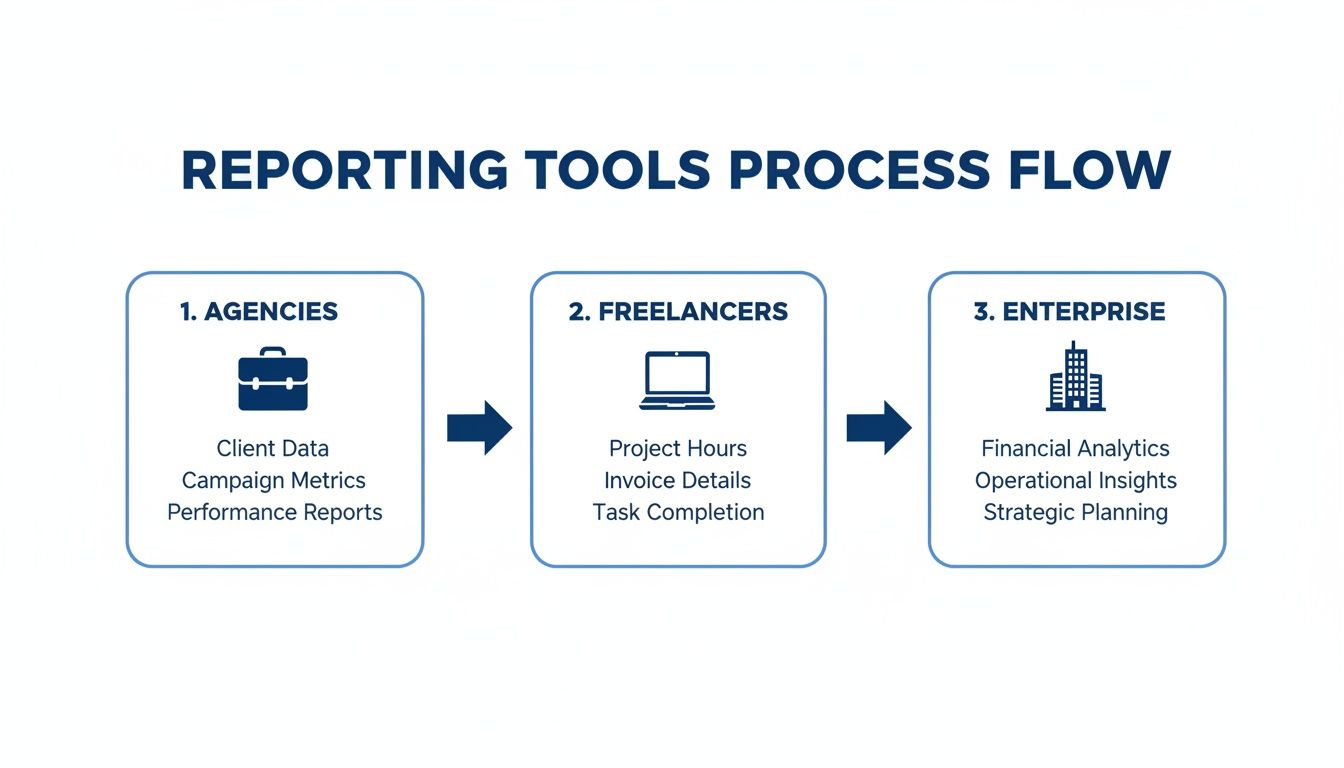
The visualization highlights that no matter the size of the operation, the core process is the same: integrate data for strategic planning, operational insights, and solid analytics.
Setting Up Automation and Delivery
Once your template is looking sharp, it's time to put that bad boy on autopilot. This is the final step, and it’s the one that will save you countless hours. Inside your reporting tool, you'll be able to set up a delivery schedule.
Remember, that staggering 46% of all Google searches have local intent. Your automated report is the perfect way to consistently show clients how you're capturing that demand. If you want to dive into more stats, check out this great resource on SEO opportunities at incremys.com.
Most tools will let you:
- Schedule delivery: Set it and forget it. Choose to send reports daily, weekly, or monthly.
- Add your branding: Upload your logo and customize the colors for a completely white-label experience.
- Include annotations: This is a pro move. Add a text box to your report to explain a sudden spike in traffic. It turns a static report into a strategic consultation.
With these pieces in place, you’ve officially built your first automated local SEO report. It’s professional, it’s data-driven, and, best of all, it basically runs itself.
Frequently Asked Questions (That You're Probably Thinking Right Now)
Got a few questions about local SEO reports? You’re not alone. Let’s tackle some of the most common head-scratchers with some simple, no-fluff answers.
How Often Should I Send Reports to Clients?
The sweet spot is almost always monthly.
Why? Local SEO is a marathon, not a sprint. Weekly reports will just cause anxiety over tiny, meaningless blips. Quarterly reports are too far apart, and the client might forget why they're paying you. A monthly report is just right—it gives you enough time to show real progress while keeping everyone in the loop.
A monthly report establishes a rhythm. It turns your work from a mysterious "SEO thing" into a predictable, professional service clients can trust.
How Do I Explain a Dip in Rankings Without Causing Panic?
First, don't panic. A temporary dip is completely normal. Google is always messing with its algorithm, and competitors make moves. The key is to get ahead of it.
Here’s your game plan:
- Bring it up first. Don't let the client find it on their own. Address it head-on in your summary.
- Give it context. "Hey, Google just rolled out a big update," or "A competitor just launched a new promotion." Explaining the "why" shows you're on top of it.
- Present a plan. This is crucial. Frame it as an opportunity. "We saw a slight dip for 'plumber near me.' Our plan next month is to overhaul our Q&A section and publish two new location posts to reclaim that spot."
What if Data From Different Tools Doesn't Match?
Ever had that moment? One tool says you’re ranking #3. Another says #5. What gives?
This happens all the time. Different tools use different data centers and refresh at different times. Don't get bogged down trying to figure out which one is "right." Consistency is way more important than absolute accuracy.
My advice? Pick one primary tool as your "source of truth." Then, stick with it. Explain to the client that you'll be using one consistent source to measure trends over time. That way, you're always comparing apples to apples.
Ready to build and automate reports that answer client questions before they're even asked? MetricsWatch makes it simple to create stunning, white-label reports that get delivered straight to your clients' inboxes on a schedule you set. Stop wasting time in spreadsheets and start proving your value effortlessly. Learn more about MetricsWatch and start your free trial today.


