What Is SEO Reporting and How Can It Prove Your Value?

So, what is SEO reporting? It’s the process of gathering data, crunching the numbers, and telling a clear story about how your SEO efforts are paying off. Think of it as your SEO report card—only way more useful and, hopefully, with fewer C-minuses. It’s how you prove you're a marketing genius and not just someone who says "it depends" a lot.
Highlights: The TL;DR Version
For those of us with the attention span of a goldfish, here’s the skinny on SEO reporting. It's your secret weapon for proving your worth and not getting your budget slashed.
| Key Topic | Quick Summary |
|---|---|
| What It Is | A process of collecting and analyzing data to show the performance of your SEO strategy. Basically, showing your work. |
| Why It Matters | It demonstrates ROI, builds trust with stakeholders, and guides future marketing decisions. It's how you get paid. |
| Key Metrics | Focus on traffic (organic sessions), visibility (keyword rankings), and conversions (goal completions). Ignore the fluffy stuff. |
| Automation | Using tools to automatically gather data and generate reports, saving you from spreadsheet-induced madness. |
This table covers the basics, but the real magic is in the details. Let's dig a bit deeper.
Pulling Back the SEO Curtain
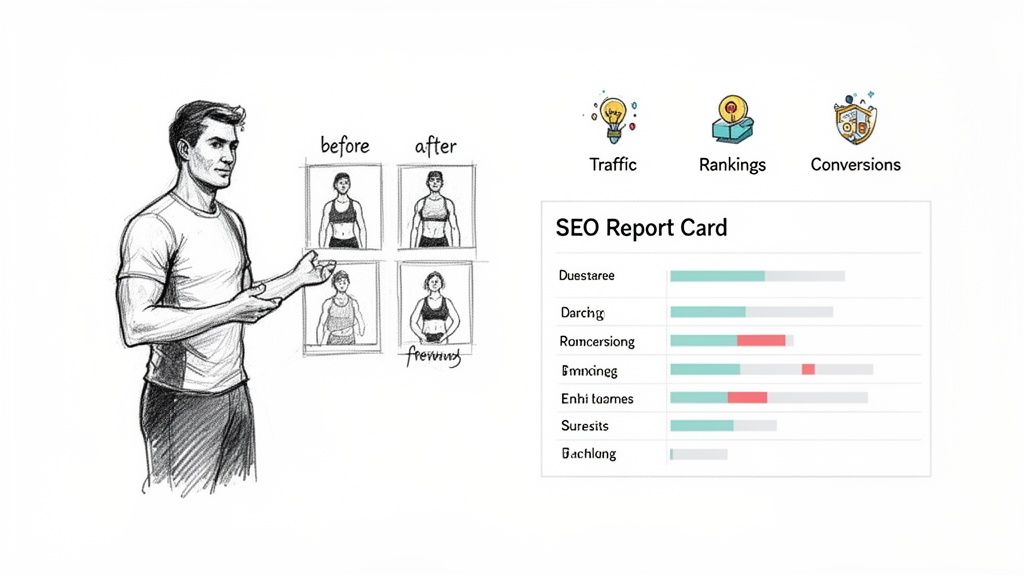
Ever feel like you’re performing a magic trick when you try to explain SEO? Well, reporting is how you pull back the curtain. No smoke, no mirrors, just cold, hard data showing everyone exactly how the trick is done. And before we dive in, it helps to have a solid grasp of what SEO is at its core.
It’s about translating all that behind-the-scenes work into a language that stakeholders, clients, and your boss can actually understand. Instead of just saying, "we did a bunch of SEO stuff," you can show them undeniable proof of more traffic, higher rankings, and a healthier bottom line.
Proving Your Worth With Data
I like to think of SEO reporting like a personal trainer showing off a client's progress photos. It’s one thing to say you’ve been working out; it’s another to show the before-and-after shots that prove it.
This kind of proof is more critical than ever. According to Fortune Business Insights, the global SEO services market is on track to hit a massive $148.86 billion by 2031. With that much money on the line, marketing teams are under immense pressure to track performance and justify their budgets in a field that's getting more competitive by the day.
At the end of the day, a great SEO report does more than just throw numbers on a page. It tells a story of progress, pinpoints what’s actually working, and lays out a clear, data-backed plan for what to tackle next.
Why Bother With SEO Reporting?
Let's be honest, nobody gets into SEO because they love making reports. But what if I told you that report was the single most powerful tool you have for locking down more budget, keeping clients ecstatic, and making yourself look like an absolute marketing genius?
That's the real magic of great SEO reporting. It’s not about dumping a bunch of numbers into a slide deck. It's about telling a compelling story—a story of growth, success, and smart decisions.
Think of it like this: doing SEO without reporting is like driving a car blindfolded. Sure, you're moving, but you have no clue if you're heading for your destination or about to careen off a cliff. Reporting is your GPS, your speedometer, and your fuel gauge, all rolled into one. It tells you where you’ve been, how fast you’re going, and what turn to take next.
Prove Your Value and Lock Down Your Budget
The biggest battle in SEO is almost always proving its worth to people who don't live and breathe search rankings. Stakeholders, bosses, clients—they want to see a return on their investment (ROI), not a list of keywords you’re tracking. This is where your report becomes your best friend.
A killer report translates all your hard work into the language of business: revenue, leads, and growth. By drawing a straight line from your SEO activities to the metrics the C-suite actually cares about, you’re not just showing them you're busy; you're showing them undeniable impact.
A strong report doesn't just justify your budget; it helps you ask for more. It’s the ultimate answer to the dreaded question, "So, what have you done for us lately?" It turns skeptics into your biggest fans.
This is absolutely critical. When you can walk into a meeting and show that your link-building campaign led directly to a 15% spike in qualified leads, you're no longer just a line item on an expense sheet. You're a profit center.
Make Smarter Decisions with a Data-Driven Map
Gut feelings are fine for ordering lunch, but for growing a business, you need data. SEO reporting hands you a data-driven map to navigate the wild, ever-changing world of search. It clearly shows you which strategies are actually printing money and which ones are just spinning their wheels.
Without that feedback loop, you're just guessing. Did that massive content push actually work, or was it a total flop? Reporting takes the guesswork out of the game.
- Spot the Winners: See which blog posts, landing pages, or keyword clusters are driving the most traffic and, more importantly, conversions. Then, you can double down on what’s working.
- Find Hidden Gold: Uncover new keywords that are starting to pop or find content gaps your competitors have completely missed.
- Cut Your Losses: If a particular strategy isn't moving the needle after a reasonable amount of time, your report will make it painfully obvious. This lets you reallocate your time and money to tactics that actually get results.
Over time, this consistent reporting builds an invaluable library of historical data, allowing you to spot long-term trends and make much more accurate forecasts for the future.
Catch Problems Before They Become Disasters
In the world of SEO, tiny issues have a nasty habit of snowballing into full-blown catastrophes. A sudden drop in organic traffic, a broken backlink from a key site, or a sneaky technical glitch can absolutely tank your rankings if you don't catch it fast.
Think of regular reporting as your early-warning system.
By keeping a close eye on your core metrics, you can spot weird anomalies before they do any real damage. For instance, a sudden nosedive in impressions for a money page could signal a technical hiccup that needs your immediate attention.
This proactive approach doesn't just save you from hemorrhaging traffic and revenue; it builds incredible trust with your clients and stakeholders. They start to see you as the vigilant guardian of their online presence, not just someone who emails a summary once a month. It shows you’re on the ball, which is exactly what they’re paying you for.
Focusing on Metrics That Actually Matter
If your SEO report is a gourmet meal, then metrics are the ingredients. It’s hilariously easy to get lost in a sea of data, creating reports so dense they could be used as a doorstop. Let's cut through that noise and zero in on the Key Performance Indicators (KPIs) that your boss, clients, or stakeholders actually care about.
Think of it like your car’s dashboard. Some metrics are your speedometer (traffic), telling you how fast you're moving. Others are your GPS (rankings), showing you where you are and the best route forward. But the most important one is your fuel gauge (conversions), telling you if you've got enough gas in the tank to actually reach your destination.
This is where solid reporting turns from a simple task into a strategic asset—it fuels your budget, builds trust, and sharpens your entire approach.
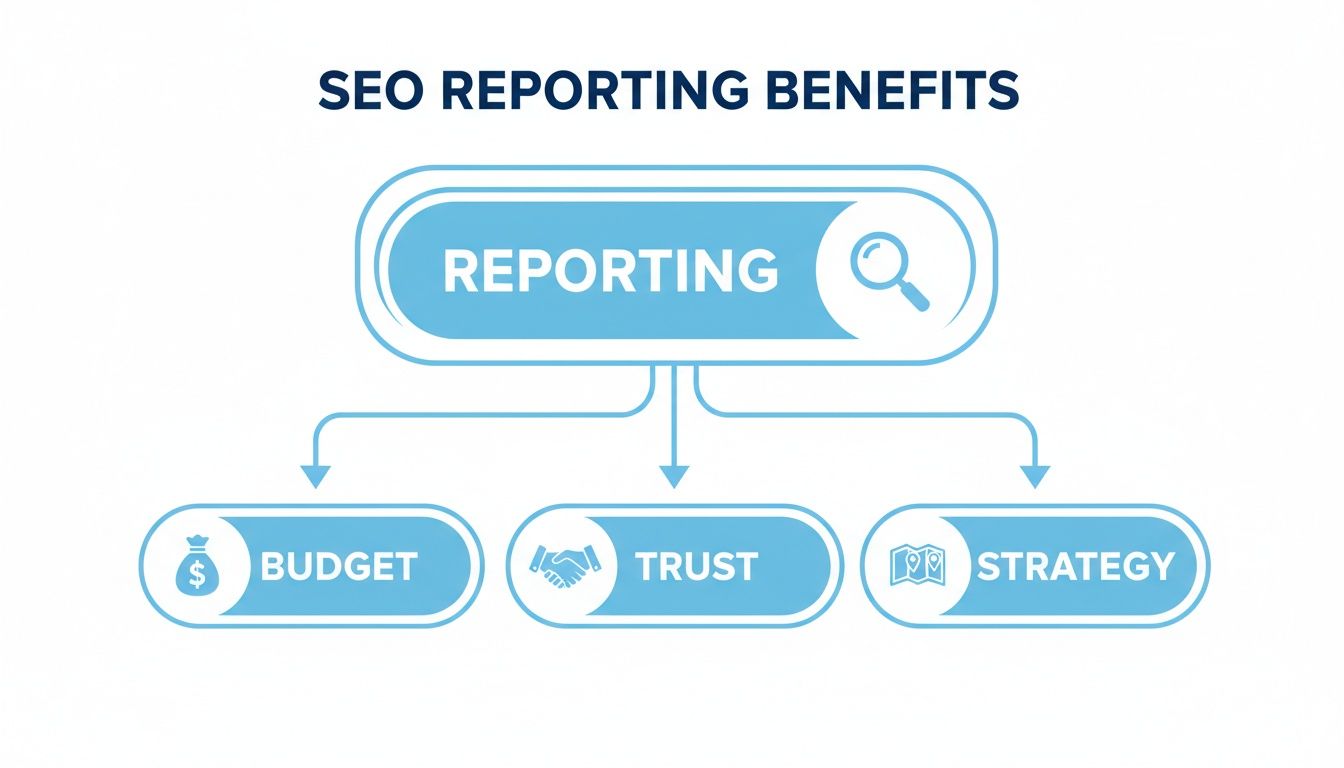
As you can see, good reporting isn't just about numbers; it's the bedrock for smarter budget decisions, stronger relationships with stakeholders, and a more effective marketing plan overall.
Visibility Metrics: Are You Even in the Game?
Before you can dream of traffic or conversions, people have to find you. That's what visibility metrics are all about. They tell you how prominent your website is on the search engine results pages (SERPs). It's the first and most fundamental step.
-
Keyword Rankings: This is the classic SEO metric. It tracks your position for specific keywords. While you shouldn’t obsess over daily ups and downs, keeping an eye on your "money" keywords gives you a clear pulse on your competitive standing. Are you climbing to page one or slipping into the abyss of page two?
-
Search Visibility (or Share of Voice): This is a broader, more powerful metric. It calculates your overall presence across a whole set of tracked keywords, often factoring in things like search volume and click-through rates. It really answers the big question: "Of all the searches for our topics, what percentage of clicks are we likely to get?"
Traffic Metrics: Are People Showing Up to the Party?
Okay, so people can see you. Now what? The next logical question is whether they're actually visiting your site. Organic traffic is the lifeblood of any SEO strategy, but it's crucial to remember that not all traffic is created equal.
According to FirstPageSage, the top organic position on desktop SERPs boasts an average 39.8% click-through rate (CTR), making precise KPI tracking essential to capture valuable traffic. You can learn more about these SEO statistics and trends on SERanking.com.
These numbers show exactly why tracking the quality of your traffic is just as important as the quantity. Here's what to watch:
- Organic Sessions: This is your bread-and-butter traffic number—the total number of visits from organic search. A steady increase here is a great sign that your visibility efforts are paying off.
- New vs. Returning Users: Are you attracting a fresh audience or just keeping your existing one engaged? Both are important, but the balance tells a story about your brand's reach and its loyalty.
- Top Landing Pages: Which pages are your big traffic drivers? Knowing this helps you understand what content is hitting the mark with your audience and where you should focus your optimization efforts. For a deeper dive, check out our guide on the top metrics for scalable SEO reporting.
Conversion Metrics: Is This Actually Making Us Money?
And here we are at the fuel gauge—the metrics that connect all your SEO hard work directly to business outcomes. This is the part of the report that makes executives sit up and pay attention. If your SEO isn't driving revenue, it’s just a very expensive hobby.
A "conversion" can be anything you want it to be, from a sale to a simple newsletter signup.
- Goal Completions: This tracks how many users complete a specific action you want them to take, like filling out a contact form, downloading a guide, or signing up for a trial.
- Conversion Rate: What percentage of your organic visitors are actually completing these goals? This metric cuts right to the chase and measures the efficiency of your traffic.
- Organic Revenue: For e-commerce sites, this is the ultimate KPI. It tracks the total revenue generated directly from organic search traffic. This is the number that justifies your budget and proves your ROI beyond any doubt.
Ready to streamline your reporting?
MetricsWatch pulls twelve sources into one white-label report, delivered on your schedule: Google Analytics, Google Ads, Google Search Console, Google Business Profile, Google Sheets, Microsoft Advertising, Facebook Ads, Facebook Pages, Instagram, LinkedIn Ads, LinkedIn Pages, and Mailchimp. Starts at $49/month. 14-day free trial, no credit card required.
Choosing the Right Tools for Your Reports
You know what you need to track, but how do you actually pull all that data together without drowning in a sea of spreadsheets? Let’s be honest, manually collecting this stuff is a surefire way to burn out. This is where SEO reporting tools swoop in to save your day (and, more importantly, your sanity).
Think of these tools as your own personal data assistant—one that never sleeps and runs on pure efficiency. They automatically fetch the numbers, arrange them into clean, easy-to-read dashboards, and free you up to do the real work: figuring out what it all means and deciding what to do next. If you're starting your search, checking out the best SEO Ranking Reporting Software is a great place to get your bearings.
Top SEO Reporting Tools Comparison
Not all SEO tools are built the same. Some are massive, all-in-one platforms built for big agencies juggling dozens of clients. Others are more focused, designed for in-house teams who just need the essentials. The trick is finding the one that lines up with what you actually need without getting stuck paying for a bunch of features you’ll never touch.
To help you get started, here's a look at some of the most popular SEO reporting solutions out there.
| Tool | Best For | Key Feature | Pricing Model |
|---|---|---|---|
| Google Looker Studio | Startups & SMBs on a budget. | It's free and incredibly flexible, plugging directly into Google Analytics and Search Console for totally custom dashboards. | Free |
| Semrush | Large agencies needing an all-in-one solution. | A true powerhouse with a massive suite of tools, from rank tracking to site audits, plus robust white-label reporting. | Subscription |
| Ahrefs | In-house teams focused on competitive analysis. | Famous for its best-in-class backlink data and site explorer, making it perfect for digging deep into competitor strategies. | Subscription |
| MetricsWatch | Agencies that want to automate client reporting. | Focuses on sending automated, white-labeled email reports straight to stakeholders, cutting out hours of manual work. | Subscription |
Choosing the right platform is a big decision, and this is just the tip of the iceberg. Each tool has its own strengths and weaknesses depending on your goals. For a deeper dive, you might want to check out our complete guide on the best SEO reporting tools for agencies, which gets into more specific features and use cases.
The Great Debate: Weekly vs. Monthly Reports
Okay, you've got your tools sorted. Now for the next big question: how often do you actually send these reports? And the answer, as frustrating as it is, is always: it depends. The right rhythm comes down to who you're reporting to and what you're trying to accomplish.
-
Weekly Reports: These are fantastic for high-stakes campaigns or for clients who get antsy and need to see constant movement. They're perfect for tracking short-term progress, like keeping an eye on a new product launch or a major technical SEO fix. The catch? The data can be noisy, and it’s way too easy to overreact to small dips and spikes that don't mean much.
-
Monthly Reports: This is the industry standard for a good reason. A month gives you enough time for real trends to take shape, but it's still frequent enough to course-correct when needed. You get a much clearer, big-picture view of performance without getting lost in the day-to-day chaos.
For most businesses, a monthly cadence strikes the perfect balance. It provides meaningful insights that are substantial enough to inform strategy, while a weekly summary can be used for internal check-ins or during critical campaign periods.
Ultimately, the best way to figure this out is to just ask your stakeholders. Find out what they need to feel informed and confident. Some might just want a quick weekly snapshot of traffic, while others only need a detailed monthly breakdown of conversions and ROI. Don’t be afraid to mix and match—a simple weekly dashboard for the team and a comprehensive monthly report for leadership often works wonders.
Common Reporting Mistakes to Avoid
Creating an SEO report is easy. Creating a good one? That’s where things get tricky. Lots of well-meaning marketers fall into the same old traps that turn their reports from strategic tools into snooze-inducing data dumps.
Think of it like this: a bad report is like a chef just tossing a pile of raw ingredients on a plate and calling it dinner. Sure, all the parts are there, but no one knows what to make of it. Let’s make sure you’re serving up a Michelin-star meal, not a mess.
Here are the most common blunders in SEO reporting and how to sidestep them like a pro.
The Vanity Metrics Trap
This is the oldest mistake in the book. It’s when you pack a report with flashy numbers that look great on the surface but mean absolutely nothing for the business’s bottom line. It’s the SEO equivalent of bragging about how many likes your cat photo got on Instagram.
Sure, it feels good, but did it sell anything?
Watch out for these common vanity metrics:
- Keyword Rankings for Irrelevant Terms: Celebrating a #1 ranking for a keyword nobody searches for is like winning a race with no other runners.
- Total Impressions: A huge impression number is exciting, but if no one is clicking, it’s just digital window shopping.
- Bounce Rate (Without Context): A high bounce rate on a blog post might be fine (they got their answer and left!), but on a checkout page, it's a five-alarm fire. Context is everything.
Instead of getting distracted by these, always tie your metrics back to actual business goals like leads, sales, and revenue.
The Dreaded Data Dump
Ever gotten a 20-page spreadsheet filled with endless rows of numbers and zero explanation? That’s a data dump. It’s lazy, unhelpful, and shows you haven’t done the most important part of your job: analysis.
Your job isn’t just to present data; it’s to interpret it. A good report tells a story. It connects the dots and explains why the numbers are what they are and what should be done next.
Dumping raw data on a client or stakeholder is like handing them a car engine and expecting them to know how to build a Ferrari. You’re the mechanic—it’s your job to explain what’s working, what’s broken, and how you’re going to fix it. Always lead with a summary that offers insights and clear, actionable recommendations.
Ignoring the Evolving SERP
Another huge mistake is clinging to old-school metrics while the search landscape changes right under your nose. Today, just tracking traditional blue-link rankings gives you an incomplete, and often misleading, picture.
For instance, a 2024 Semrush study found that around 25% of searches result in zero clicks, a number that's growing. Relying solely on rank-tracking is like trying to navigate a city with a map from 1995. You have to account for new visibility opportunities like featured snippets, People Also Ask boxes, and AI-generated answers. You can discover more insights about the rise of AI in SEO on Semrush.com.
The One-Size-Fits-All Report
Finally, never, ever use the exact same report template for every stakeholder. The CEO does not care about the same things your content team does. It's just a fact.
- For the C-Suite: They need a high-level executive summary. Focus on ROI, revenue from organic search, and progress toward major business goals. Keep it short, sweet, and to the point.
- For the Marketing Manager: They need a bit more detail. Show them channel performance, conversion rates, and how SEO is playing with other marketing efforts.
- For the SEO Team: This is where you can get granular. Dive deep into technical health, backlink profiles, and detailed keyword performance.
Tailoring your report for your audience shows you understand their priorities and respect their time. That makes them far more likely to actually read—and act on—what you send them.
Structuring a Report That Gets Read
Alright, let's stop talking theory and start building something useful. A great SEO report isn't just a pile of data; it's a story with a beginning, a middle, and a clear, actionable end.
If your reports are met with blank stares or, even worse, total silence, it's probably a structure problem, not a data problem.
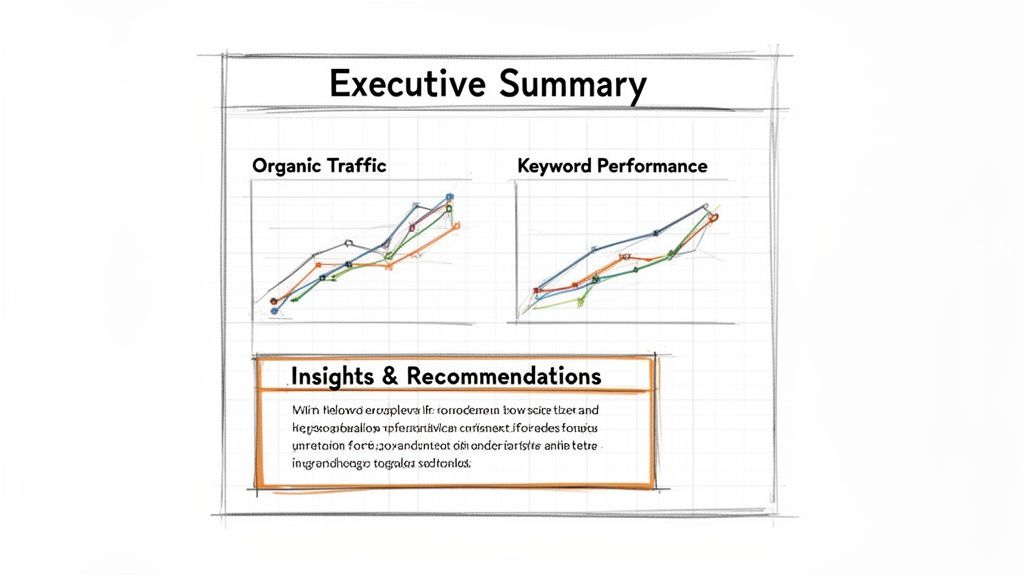
Here's a simple, effective framework that turns your report from a backward-looking summary into a forward-looking strategic tool that actually gets read.
Start with a Punchy Executive Summary
Let's be real: your CEO or client is busy. They probably have about 30 seconds to spare for your report, so you need to make it count. The executive summary is the most critical part of the entire document.
This section should be a simple, one-paragraph summary of the most important takeaways. Think of it as the TLDR for the C-suite. It should answer three quick questions:
- What were the big wins? (e.g., "Organic traffic is up 15%, driven by our new blog content.")
- What were the main challenges? (e.g., "We saw a slight dip in rankings for our top commercial keyword.")
- What are we doing next? (e.g., "Our focus next month is on updating that page and building new links to it.")
That’s it. No jargon, no fluff. Just a straight-to-the-point overview that gives them everything they need to know in a snapshot.
Break Down the Core Performance Areas
After the summary, you can dive into the nitty-gritty details for those who want them, like the marketing manager or your direct team. Organize this part into clear, logical sections so readers can easily find what they're looking for.
-
Organic Traffic & Conversions: Show the high-level trends. Did organic sessions go up or down? Most importantly, how many of those visitors converted into leads or sales? Use simple graphs to make the data easy to digest.
-
Keyword & Ranking Performance: Highlight movement for your most important keywords. Don’t list all 500 keywords you track; focus on the ones that actually drive revenue and show a clear trend.
-
Technical Health Overview: Give a quick update on site health. Mention any critical errors found and fixed, like broken links or indexing issues. This shows you're keeping the engine running smoothly.
End with Insights and a Clear Action Plan
This is where you prove your value. The final section of your report should never just be more data. It’s where you connect all the dots and tell the reader what it all means.
A report without recommendations is just noise. Your analysis is what turns raw data into a strategic roadmap that guides the next month’s work.
Frame this section clearly:
- Key Insights: What did you learn this month? For example, "Our video content is driving 2x the engagement of standard blog posts."
- Actionable Recommendations: What should be done based on those insights? For example, "We recommend creating two more video-based articles next month."
This approach shifts the conversation from "what happened?" to "what's next?" and positions you as a strategic partner, not just a data provider. For even more ideas, check out this great SEO monthly report template that breaks down these components.
SEO Reporting FAQs
Still have a few questions about SEO reporting rattling around in your head? You’re not the only one. Let's tackle some of the most common questions we hear from marketers and business owners trying to get this right.
How Often Should I Run an SEO Report?
For most businesses, a monthly report hits the sweet spot. It gives you enough data to see real trends taking shape, steering you clear of the daily noise that can send you chasing shadows.
That said, a weekly report can be a lifesaver when you're tracking a high-stakes campaign, keeping a close eye on a new site launch, or just trying to keep an anxious client happy. The real key is to match the reporting schedule to what your stakeholders actually need. If you're not sure, just ask them.
What’s the Most Important Metric in an SEO Report?
If I had to bet on a single metric, it would be conversions. It doesn't matter if you call them goal completions, leads, or just plain old e-commerce revenue from organic search—this is the number that connects your SEO efforts directly to the bank.
Sure, traffic and rankings are important signals that you're on the right path. But conversions are what prove your ROI and keep the budget flowing. It’s the metric that transforms SEO from a line item expense into a genuine growth engine for the business.
Can SEO Reporting Be Fully Automated?
Yes, and honestly, it should be! Manually pulling data from a half-dozen different sources is a huge time-drain and, let's be real, a recipe for mistakes. Modern tools can grab all that data, plug it into your template, and even email the finished report to your team on whatever schedule you set.
Automation takes care of the grunt work—the boring, repetitive data collection—so you can focus on what actually matters: analysis, finding insights, and planning your next move.
This frees you up to spend your time figuring out what the numbers mean instead of just gathering them.
What’s the Difference Between SEO Reporting and an SEO Audit?
It’s like the difference between a regular check-up and a full-body physical.
- An SEO report is your routine check-up. You run it weekly or monthly to monitor performance and track how you're progressing toward your goals. It keeps a steady pulse on your SEO health.
- An SEO audit, on the other hand, is a deep, one-time diagnostic. It's a comprehensive look under the hood to find every technical hiccup, content gap, and competitive weakness holding your site back.
You use an audit to build your initial strategy, and then you use reports to see if that strategy is actually working. Both are crucial, but they play very different roles.
Ready to stop wasting hours on manual reporting and start delivering insights that actually move the needle? MetricsWatch automates the entire process, sending clean, white-labeled reports directly to your clients' inboxes. Try MetricsWatch free and see how much time you can save.


